
Monitor Mount Brackets
A monitor can take up more desk space than you'd like, especially when you're juggling paperwork, a keyboard and everything else the workday demands. A monitor arm lifts the screen off the desk and lets you adjust its position, including its height and angle. Before picking one, check your monitor's size and weight, its VESA mounting pattern and the type of desk you're working with. Take a look at our monitor mounts to compare the available options.
-
Type


-
ProductsAll Prices Include G.S.T.


-
FREE
SHIPPING
Now$66.90SaveOut of Stock
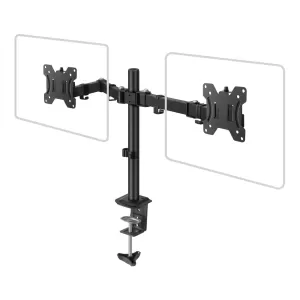

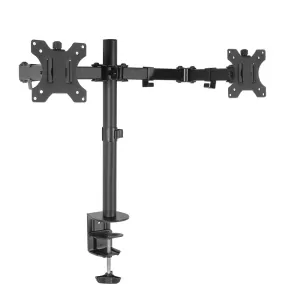
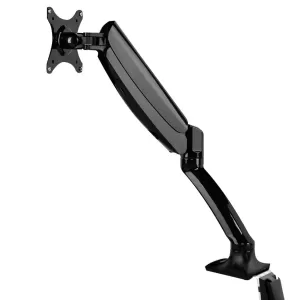
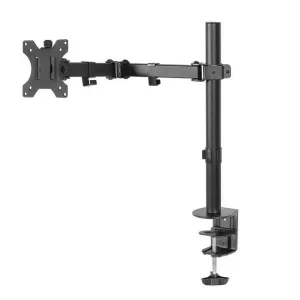
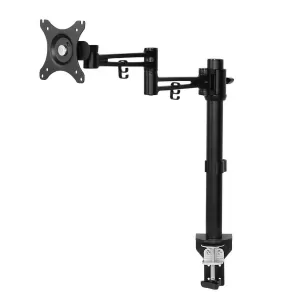
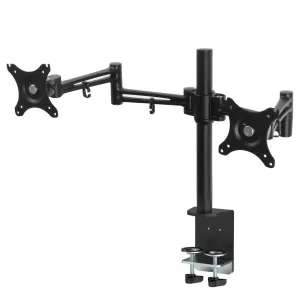
Single, Dual And Gas Spring Monitor Arms
The first question is how many screens you need to position. A single arm is designed for one monitor, while a dual arm supports a two-screen setup. If you regularly switch between documents, applications or different tasks, think about how you want those displays arranged before choosing a mount.
Then there's the question of adjustability. Gas spring arms offer a different approach, using a spring mechanism to make height adjustment smoother, which can be handy if you regularly switch between sitting positions or screen arrangements. Different arms offer different adjustment options, so check the listed specifications before choosing. Planning a two-screen setup? Have a look at our dual monitor arms if you're planning a two-screen workstation.
Will It Fit Your Monitor?
Before you get too attached to a particular monitor arm, make sure your screen is compatible! One of the first things to check is its VESA mounting pattern. VESA refers to a standard mounting-hole pattern found on many monitors. Look at the back of your screen for four screw holes arranged in a square, then check the manual or product specifications to confirm the pattern.
Screen size alone doesn't tell you everything, either. The arm's supported size range and weight limits matter, too, so compare the figures shown on the listing with your monitor's specifications. If you're shopping for a monitor bracket or desktop monitor bracket, a quick compatibility check now can save you from an unsuitable purchase later.
Desk And Wall Mounting
Where will your monitor arm live? Most desk-mounted options attach using a clamp or another specified mounting method, so check your desk's thickness, construction and available space before choosing. You’ll also want to make sure the mounting arrangement is actually suitable for your desk rather than just assuming every surface can accommodate it.
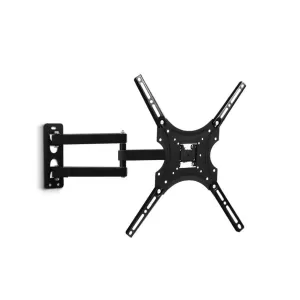
If you fall on the side of the scale where you prefer to keep your desk mount-free, the range also includes a wall mount bracket. Not keen on clamping or drilling? A monitor stand sits directly on your desk and supports your screen from underneath, without needing a clamp or wall attachment. Each option has its own advantages, so think about how you'd like your workstation to look and function.
Why Buy Monitor Arms From InkStation?
Give your workstation a little upgrade with monitor mounts from InkStation. You’ll find competitive pricing, same-day dispatch for orders placed by 3 pm AEDT, express delivery and secure payment. Compare the available options, check the listing for product specifications and find a mounting solution that suits your screen setup.
FAQs
Look at the back of your monitor for four screw holes arranged in a square. Check the manual or specifications to confirm the mounting pattern and compare it with the monitor arm's listing. Don't assume compatibility from screen size alone.
It depends on the monitor's size, weight and mounting compatibility, as well as the arm's listed limits. Compare your screen's specifications with the product details before ordering. Don't assume an arm will support every curved or ultrawide display.
A monitor arm attaches to a suitable desk or wall mounting point and can let you adjust the screen's position. A monitor stand sits on the desk and supports the screen from underneath.
Desk thickness and edge shape can affect compatibility, and glass or hollow desks may not suit every mounting method. Check the product listing for mounting requirements and compare them with your desk before ordering. If the details aren't clear, confirm suitability before proceeding.