Explore the Perfect Scanner for Your Needs from InkStation
Easily digitise your work with our high-quality range of scanners at InkStation. Whether you need to digitise important documents, capture high-quality images, or streamline your business processes, our selection offers the perfect solution.
You can easily explore our wide range of scanner types here:
Enjoy quick, accurate scanning that simplifies your tasks and keeps everything organised. Whether you need a high-speed scanner for your busy office or a conveniently sized and portable scanner for on-the-go use, we’ve got everything you need to boost efficiency
Don’t miss out on our unbeatable deal - Explore our collection now and find the scanner that’s perfect for you, and make your work easier and more efficient with InkStation !
Scanner Reviews and Suggestions by Inkstation
Upgrade your productivity with top brand scanners available at InkStation. These high-performance scanners deliver speed, precision, and reliability, making it easy to digitise documents and streamline your workflow.
You can easily pair them with your existing printers for a seamless connection, or if you don't have a printer yet, explore our selection of printers at the best price. Ideal for home or office, these scanners, including barcode scanners, will help you work smarter and more efficiently. Discover the perfect scanner for your needs and elevate your workflow with InkStation!
Scanners for Sale at Inkstation
Explore InkStation's wide range of scanners, now offering savings of up to 70%. Easily sign in and subscribe to our newsletter to stay updated on exclusive sales offers. New to InkStation or No have account yet? No problem – sign up for our newsletter today and receive coupons only for new customers!
Take advantage of unbeatable deals on office and warehouse supplies, plus enjoy free delivery Australia-wide on orders over $50. Upgrade your office setup with top-quality scanners and essential supplies at InkStation’s discounted prices, and start saving today!
Do you have any questions about scanners? Please read our FAQ section.
InkStation Scanner FAQs
What are the different types of scanners?
There are 5 main types of scanners:
-
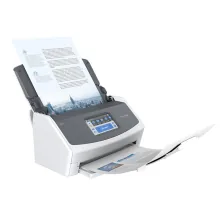
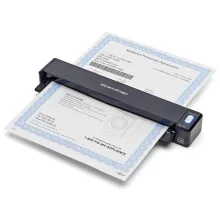
Document scanners: the standard scanner type which can transfer a physical document to digital format and scan documents into PDF files - perfect for digitising documents
-
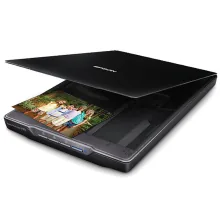
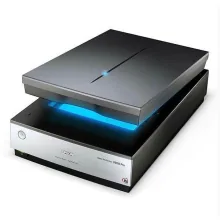
Flatbed scanners: the most traditional type of scanner, a flatbed scanner gives you a glass surface to place the object you want to scan - e.g. a paper document or a book
-
Film scanners: used for scanning images from a film negative or a photo slide
-
3D scanners: converts all three dimensions of a physical object into a digital file for 3D printing
-
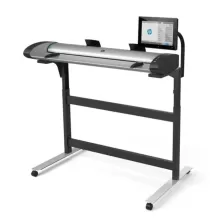
Large-format scanners: useful when you need to scan large media, such as A3 pages
Why should I invest in a document scanner over an MFP?
Compared with a multifunction printer (or “MFP”), a document scanner can scan documents into PDF files - whose text can then be searched when opened with a PDF reader.
Document scanners are also equipped with 2-sided scanning, which is often missing on most MFPs.
Aside from that, a document scanner is a lot faster and offers higher resolution. Some document scanners can even scan to the cloud without the need of a PC which promotes easy streaming and better security.
In essence, a document scanner is a great investment for your business if you want to both digitalise and increase your productivity levels.
Do scanners scan in colour?
The short answer is - yes, most modern scanners can scan in colour.
In addition, every scanner we sell on this website (apart from the 3D scanners) can scan in colour.
How much do scanners cost?
Depending on the type, a scanner can typically cost between $100 and $1500.
A basic entry-level flatbed scanner is a more budget-friendly option.
How much is a portable scanner?
A high-quality portable scanner can cost between $80 and 270. If you want one with printing abilities, the price can increase even further.
What is a film scanner?
A film scanner is a type of scanner that can scan 35mm film rolls directly into a computer.
Compared with a flatbed scanner, a film scanner gives you much more control over, e.g. aspect ratios and image cropping. Some even come bundled with software that lets you remove film grain from your footage.
Do you need a flatbed or overhead scanner?
This largely depends on what kind of media you want to scan.
While flatbed scanners are more affordable, they scan slower.
An overhead scanner is more suited if you need to scan multiple page media such as magazines, books or flyers. With certain overheads (e.g. the Fujitsu SV600), you can even remove the finger holding the book automatically from the final image.
However, overhead scanners tend to cost more than a flatbed and are more common for commercial or professional use rather than in home offices.
Do you need a sheet feeder?
Do you find yourself scanning multiple-page documents regularly? Then, a sheet feeder is undoubtedly a worthwhile thing to invest in.
Instead of painstakingly opening the lid to your flatbed scanner and putting the page on the glass multiple times, the sheet feeder will do the grunt work for you.
Be aware, however, that not all scanners are compatible with a sheet feeder. It is more common in document scanners.
Do you need two-sided scanning?
Like the sheet feeder, you’ll benefit from two-sided scanning the most if you have to scan documents with text printed on both sides regularly.
It's also good for you to know that most current generation document scanners on the market offer 2-sided printing.
What is the best format when scanning photos or documents?
When scanning a document, PDF is the best format - turning scanned documents or files into searchable text, great for digitalisation.
If you’re scanning family photos or other images, JPEG is the best format.
A TIFF image might have a higher pixel depth but will also contain plenty of data. This causes a TIFF image to look more grainy than its PDF counterpart.
What is 3D scanning?
3D scanning is a form of scanning that can create a full 3D digital model of a real-world object for e.g. 3D modelling and printing.
Essentially, 3D scanning allows you to capture all three sides of, e.g. a book or a tennis ball.
How accurate are 3D scanners?
In most cases, the accuracy of a 3D scanner can range between 0.001 and 2 mm. This means that the scanner will make the measurements within 2 cm of the real-life object’s dimensions.
Can I scan negatives with a photo scanner?
Yes, you can, but there are a few precautions you need to take first.
It’s crucial to know that everyday flatbed scanners aren’t backlit, which is not suitable for scanning photo negatives since they require projected light.
How can I scan a book?
You can scan a book easily by using a flatbed or an overhead scanner.
Where can I scan documents to PDF?
Most scanners on the current market will allow you to save the scanned images as PDF files. However, if you require the text content to be “searchable”, then you will need a scanner with OCR (Optical Character Recognition) function
How do I clean the scanner’s glass panel?
First, shut off the power to the scanner by pressing the power button and then unplug the power chord.
Then, open the scanner’s lid (if it has one) and clean the glass panel with a soft and lint-free cloth. If you must use liquids, use a special glass cleaner and only spray it onto the cloth - never onto the glass itself.
Also, avoid using cleaning products that contain chemicals like benzene or acetone - these will damage the glass.
How far does the Wi-Fi signal go for a wireless scanner?
It depends on the connection and the bandwidth - a Wi-Fi network with a 2.4 GHz bandwidth can reach as far as 46 meters, albeit at a slower speed than a 5.0 GHz network.