Double Rewards Points
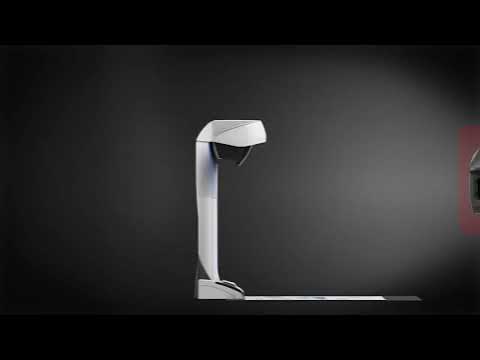
Fujitsu Ricoh ScanSnap SV600 Overhead Scanner (A3)
Scans up to A3 size, bound material and flat documents This product fits in your saved printer list.
Our Price:
 In Stock
$
1,079
.00

What is Rewards Points?
Earn reward points every time you shop at InkStation. For every dollar you spend on products, you'll earn 1 point. Once you collect 200 points, you can redeem them for a $1 voucher—or save up 1,000 points to get a $5 voucher.
The more you purchase, the more rewards points you earn, so start earning today and enjoy discounts on your next order.
Earn
2158
Rewards Points

This item is excluded from the free delivery offer. Additional shipping fees apply to large and bulky items due to their size and weight.
For more information, see our Shipping Policy Page.
Shipping Calculator Postcode 
Product Summary:
- Scan via USB to Windows or Mac
- One-button overhead scanning technology
- Searchable PDF and JPEG creation
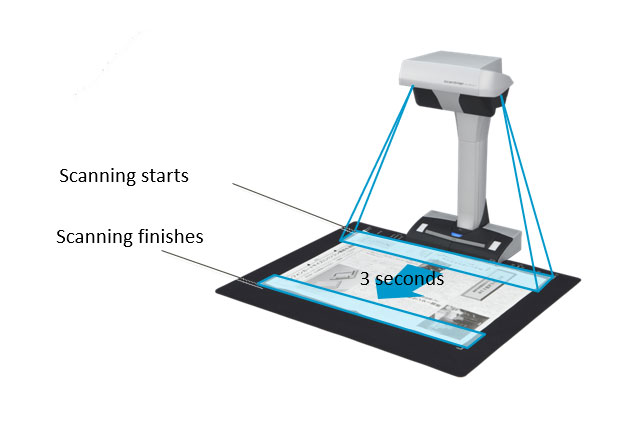
- Scan an A3 size area in less than 3 seconds
- Scan bound material and flat documents
- Auto crop, de-skew, rotation and finger erasing features
- Auto page-turn detection sensor
- Scanning modes: Color, grayscale, monochrome, automatic
- Warranty: 12 months return-to-base
Offer valid on selected InkStation's products. Rewards apply to InkStation Rewards members only. InkStation Rewards Program terms and conditions apply. Offer ends 12/10/2026.

Fujitsu Ricoh ScanSnap SV600 Overhead Scanner (A3)
You May Also Like
-
Delivery charges may apply
$1,799.00
-
Delivery charges may apply
$599.00
-
-
-
-
Delivery charges may apply
$2,099.00
-
Delivery charges may apply
$749.00
-
Delivery charges may apply
$249.00
-
Delivery charges may apply
$1,059.00
-
Delivery charges may apply
$219.00
-
Delivery charges may apply
$3,699.00
-
-
-
Delivery charges may apply
RRP: $99.00$81.90
This is the recommended retail price set by the manufacturer or supplier for this product.


Offer valid on selected InkStation's products. Rewards apply to InkStation Rewards members only. InkStation Rewards Program terms and conditions apply. Offer ends 12/10/2026.
Description:
The ScanSnap SV600 Contactless scanner provides a new perspective on document scanning. Easily scan newspapers, magazines, documents or books directly without cutting or damaging them.
Features:
- One-button overhead scanning technology
- Scanning modes: Color, grayscale, monochrome, automatic
- Scans bound material and flat documents
- Scans an A3 size area in less than 3 seconds
- CCD optic with fast LED illumination
- Book curve image-flattening technology
- Erase finger from image function
- Auto crop, de-skew and rotation features
- Auto page-turn detection sensor
- Timed interval scanning mode
- USB 2.0 connectivity
- Searchable PDF, PDF and JPEG creation
- Single scan multiple document cropping function
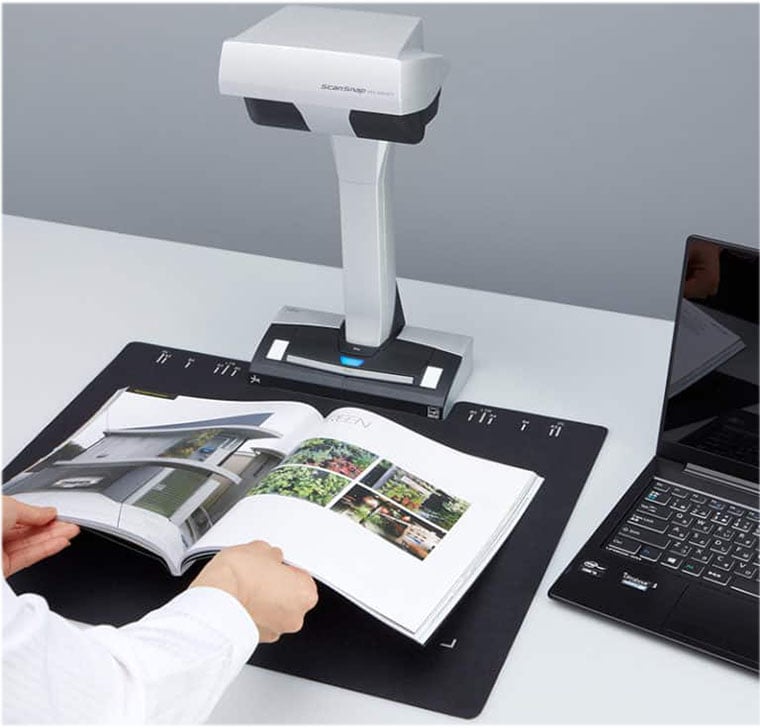
Easy scanning for various documents
The ScanSnap SV600 is capable of scanning a wide range of documents from books, thick documents, drawings/artwork, A3 size documents to business cards, making overhead scanning simple and providing you with limitless possibilities.
Scan important documents without any damage
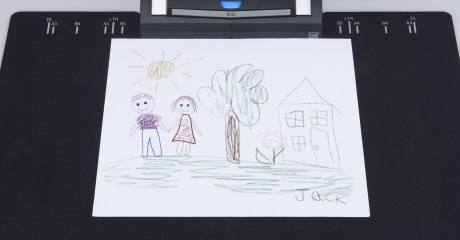
You can scan a document larger than A4 size by simply positioning it on the A3 scan mat and pressing the scan button. Because there is no need to cut documents or feed each document through the rollers, your important and delicate documents such as valuable books, hand-painted pictures and photos can be scanned without getting damaged.
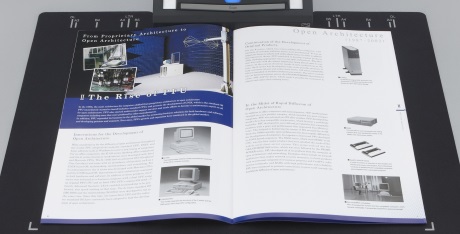
Digitize multiple documents at once
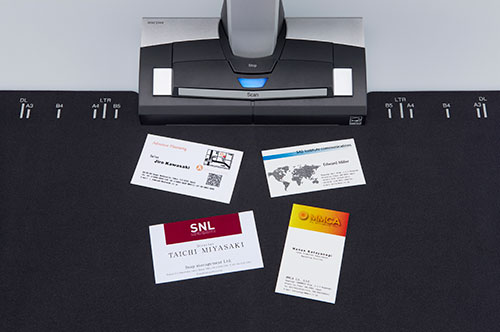
The Multi Document Detection function enables you to scan multiple business cards, photos, newspaper clippings or other documents in one scan, automatically cropping and rotating the scanned images. *Up to 10 documents can be scanned at one time.
VI Technology with convenience and quality
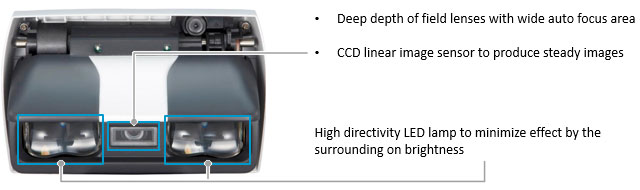
Combining high quality CCD optics and advanced LED illumination, the scanner produces a steady image of the whole document, minimizing the unevenness or blurriness even when scanning from a distance.
Efficient digital archiving of original digital books
The ScanSnap SV600 is your ultimate partner to scan books or magazines efficiently, providing various useful functions specially designed for book scanning.
Various image corrections to obtain optimal images
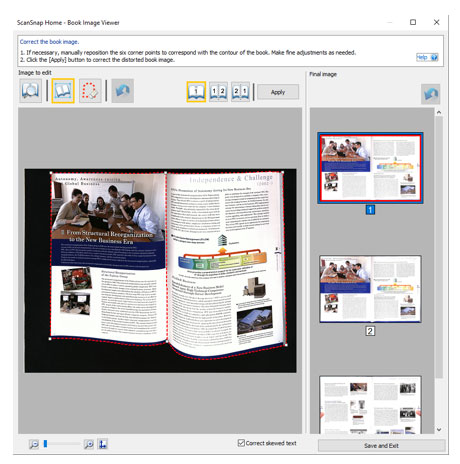
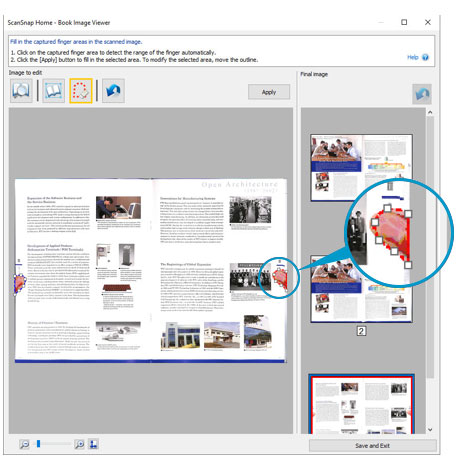
You do not need to worry about any distortions that are caused by the curve of an opened book or magazine, with the Auto Book Correction that automatically flattens and corrects the curve distortion. When needing to hold a document to scan, fingers captured during the scanning can be removed by using the Point Retouch function.
Complete scanning smoothly with helpful functions
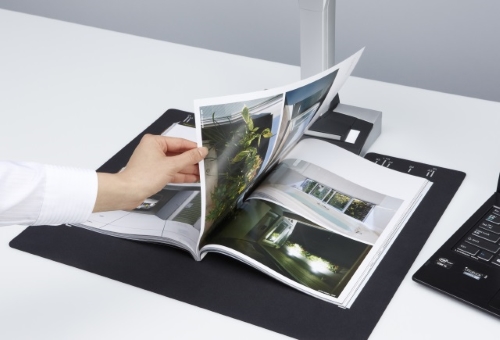
With the Page Turning Detection function, the scanner detects when a page is turned and automatically begins scanning. Another function, the Time Mode, allows you to set a fixed time interval so that the scanner can scan in real time with you. These functions eliminate the hassle of pressing the scan button every time you turn a page and start scanning.
Best experience with ScanSnap Home
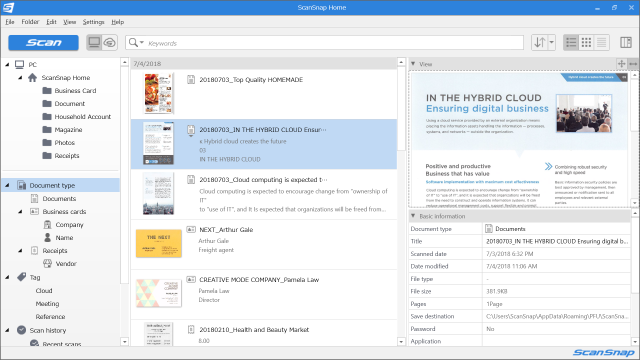
ScanSnap Home combines all your favorite functions into one and is the ultimate platform to utilize scanned data in various ways. Easily manage, edit and utilize data from documents, business cards, receipts and photos with the software. You can scan large volumes of various types of documents from color photos to double-sided landscape documents with a host of intelligent automatic image processing functions.
*Data can be transferred to ScanSnap Home from ScanSnap Organizer, ScanSnap Receipt and CardMinder.
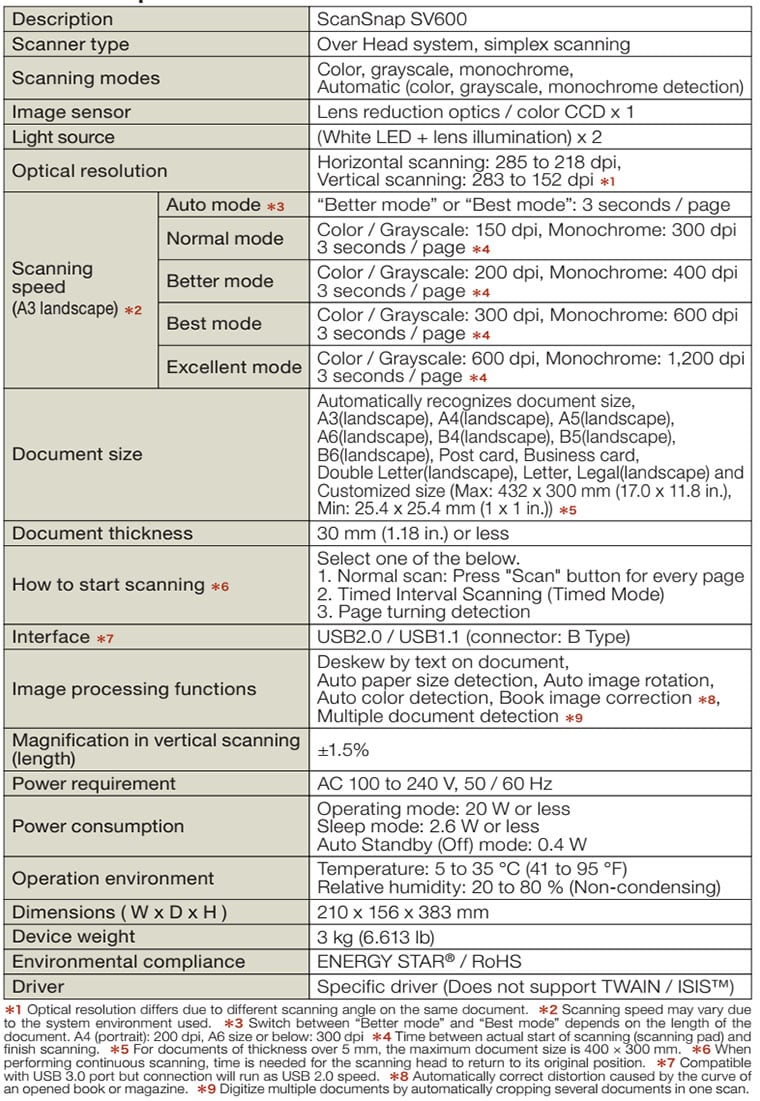
Specifications
What's in the box?
Scanner, AC cable, AC adapter, USB cable, Background Pad, Setup DVD-ROM, Nuance® Power PDF Standard / Nuance® PDF Converter for Mac DVD-ROM, Extenders (x2)

SKU: STU16583
Specification:
General
- Brand
- Fujitsu
- Manufacturer Warranty
- 12 months
- Model Number
- SV600
- Paper Size
- A3
- Scanner Type
- Over Head system, simplex scanning
- Product Dimensions
- 210x156x383mm
- Product Weight
- 3 kg
Connectivity
- Interface
- USB
- Operating Systems
- Windows: Windows® 10 (32-bit / 64-bit), Windows® 8.1 (32-bit / 64-bit), Windows® 7 (32-bit / 64-bit) Mac: macOS v.10.12.4 or later
- Software
- ScanSnap Home, ABBYY FineReader for ScanSnapT, Windows: Kofax Power PDF Standard Mac: Kofax Power PDF Standard for Mac
Media Handling
- Media Sizes
- Maximum: 432 x 300 mm (17.0 x 11.8 in.), Minimum: 25.4 x 25.4 mm (1 x 1 in.)
- Media Weight
- 30 mm (1.18 in.) or less
Scanner Features
- Scan Resolution
- 285 to 218 dpi (Horizontal scanning), 283 to 152 dpi (Vertical scanning)
- Scan Time
- Auto mode: 3 seconds / page Normal mode: 3 seconds / page (3) (Color / Grayscale: 150 dpi, Monochrome: 300 dpi), Better mode: 3 seconds / page (3) (Color / Grayscale: 200 dpi, Monochrome: 400 dpi), Best mode: 3 seconds / page (3) (Color / Grayscale: 300 dpi, Monochrome: 600 dpi), Excellent mode: 3 seconds / page (3) (Color / Grayscale: 600 dpi, Monochrome: 1,200 dpi)
- Image Scensor
- Lens reduction optics / Color CCD x 1
- Light Source
- (White LED + Lens illumination) x 2
- Scan Modes
- Color, Grayscale, Monochrome, Automatic (Color / Grayscale / Monochrome detection)
- Image Processing Functions
- Deskew by text on document, Automatic size detection, Autonatic rotation, Automatic color detection, Book image correction, Multiple document detection
Package Contents
- What's in the box?
- Scanner, AC cable, AC adapter, USB cable, Background Pad, Setup DVD-ROM, Nuance® Power PDF Standard / Nuance® PDF Converter for Mac DVD-ROM, Extenders (x2)
Fujitsu Ricoh ScanSnap SV600 Overhead Scanner (A3)
Buy Our Fujitsu Ricoh ScanSnap SV600 Overhead Scanner (A3) at Best Price.Full Range of FUJITSU Flatbed Scanner at excellent value and will be delivered to your door super fast!
When can I expect delivery of my Fujitsu Ricoh ScanSnap SV600 Overhead Scanner (A3)
Your Fujitsu Ricoh ScanSnap SV600 Overhead Scanner (A3) is dispatch on the same day from warehouse from Melbourne, Sydney, Brisbane or Perth if order place before 3pm Mon-Fri excluding public holiday. We ensure we always use the best delivery method to delivery the order to your door.As a general guideline, most deliveries to major cities will take 1-3 business days, whilst it could take up to 5 business days for more remote areas. This general guideline does not apply to large / bulky items. Please refer to the large / bulky item section below for more information. All delivery timeframes provided at Ink Station are an estimate and do not account for unforeseeable circumstances which may affect the delivery of your parcel.
Fujitsu Ricoh ScanSnap SV600 Overhead Scanner (A3) Warranty
Our Fujitsu Ricoh ScanSnap SV600 Overhead Scanner (A3) is cover by a full manufacturers warranty! If your product is faulty, please check with us to organise a replacement or refund. See our warranty page for full details.How can I pay?
We accept payment by Visa, Mastercard, AMEX and Bank Transfer. There is no surcharge for using a credit card or any other payment methods.


How secure is Online for ordering?
Credit card payments are securely processed by SecurePay, We do not store credit card details, and No credit card data or information is stored on our site in any form.! Note: Direct deposit and cheque payments require payment clearance before order dispatch.Our site uses 256bit SSL encryption provided from GeoTrust ensuring your credit card details remain safe.Order Fujitsu Ricoh ScanSnap SV600 Overhead Scanner (A3) now
To purchase on the internet you can press the "Add to Cart" next to the products you require. If order over the internet is not for you. You can also order Fujitsu Ricoh ScanSnap SV600 Overhead Scanner (A3) by calling our friendly sales team 1300 655 943 to place your order.Product Reviews