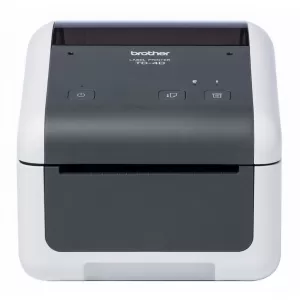

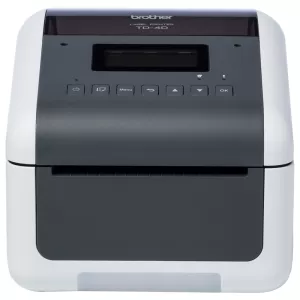


Thermal shipping label printers for sale
A thermal shipping label printer is a printer that prints on special thermochromic paper. Because it is operated with heat technology, a thermal printer can turn certain areas black where needed.
Therefore, a thermal label printer is a good investment if you want something that can print barcode labels and shipping labels at low costs.
Thermal shipping label printers FAQs
What is the difference between a Direct thermal and Thermal transfer label printer? label printer and a thermal printer?
The most significant difference is that a direct thermal printer uses thermal register paper, while a thermal transfer label printer uses a thin ribbon roll.
A direct thermal printer also does not need ink to print - meaning that you can save money and time on buying and replacing ink cartridges.
On the other hand, label images from a direct thermal printer don’t tend to last very long and are therefore more suitable for printing e.g. shipping labels and receipts.
A thermal transfer printer however can create printouts with a long lifespan. In addition, their servicing costs are significantly lower - especially when compared to inkjet and laser printers.
Can I use a regular printer for shipping labels?
If you have a small business with an equally small budget, a regular inkjet printer works fine for printing out your labels.
The only downside is that inkjet printers are slower than thermal shipping printers. Also, inkjet printers require ink, which is another extra expense.
How do I print shipping labels at home?
If you don’t want to use a thermal label printer, there are 3 main ways to print out shipping labels at home with an inkjet printer:
1: Use an online shipping service like Shippn.com, DHL Express, or Australia Post
2: Use a regular printer to print out your shipping labels on 215x279mm paper
3: Print using adhesive labels for your regular printer
But if you have a thermal printer, you must know that shipping services sometimes have special thermal printer drivers you must install first.
If this is the case, it’s crucial to check that the thermal printer you’re using is compatible with the printer drivers the shipping service provides.
Once you've installed the printer drivers and the shipping service's printing app, install your printer, select it, and you're good to go.
Do direct thermal printers use ink?
No - since it prints by applying heat, a direct thermal printer does NOT use any ink, ribbons, or toner.
However, it will require heat-sensitive material - specifically, direct thermal label rolls, which are available on our website.
This is what makes it possible to apply heat and blacken the surface or material.
What is a Zebra thermal printer used for?
A Zebra thermal printer prints barcodes, receipts, and shipping labels like an ordinary thermal printer.
But the Zebra printer shines particularly in its high build quality and excellent print-out quality.
Can you make an online label?
Certain applications like Canva or Online Labels offer professional design tools to create sleek-looking labels - sometimes even for free.
Do Online Labels ship to Australia?
Yes - Online Labels ship internationally to most locations with FedEx or USPS.
What label printer is compatible with Australia Post label printing?
If you’re sending a package using My Post Business, you need a label printer with at least a 300 DPI print output.
Some examples of thermal printers that support My Post Business label printing include:
- Brother QL-1100
- Brother QL-1110NWB
- Brother TD-4420DN
- DYMO 5XL
We also highly recommend that you use a label printer that can print out shipping labels with dimensions of at least 100mmx150mm - this is the standard label for almost all Australian couriers and logistics companies.
What label printers work with Shopify?
According to their own help guide, Shopify is compatible with the following label printers:
- DYMO LabelWriter© 4XL
- Brother QL Label Printer
- Zebra Label Printer (USB and Wireless)
- Zebra 2” ZSB Label Printer
- Zebra 4” ZSB Label Printer
How do I print labels from Shopify?
To print labels and other shipping information from Shopify, you’ll need a compatible label printer.
To print out a Shopify shipping label:
1: Go to “Orders”
2: Select the order you want to print your label for, and click “Print label”
3: Select your label printer and the paper size your label printer supports
4: Click “Print”
We highly recommend that your thermal printer support the 100x150mm label size.
Can I use a label printer for eBay?
Yes, although it’s highly recommended that you use a printer that can print out labels with a size of at least 4”x6”.
Which is the best thermal printer for small businesses?
Some examples of thermal printers suitable for small businesses include:
- Brother QL-1110NWB (comes with wireless connectivity)
- Zebra ZD420D
- Zebra GK420
- Zebra ZD421
It’s important to remember that some Zebra printers might not be compatible with Australia Post label printing since they don’t have the minimum resolution requirements (300 x 300 dpi) that Australia Post requires for printing shipping labels.
Is there a thermal printer compatible with Bluetooth and Wifi?
Yes, there are several thermal printers with Bluetooth and wireless compatibility. Some examples include: