Double Rewards Points
EPSON Workforce Pro WF-3925 A4 Colour Multifunction Inkjet Printer
Print Speed: 21 / 11 ISO ppm (mono/colour) This product fits in your saved printer list.
Our Price:
 In Stock
Now
$
198
.99
Save

What is Rewards Points?
Earn reward points every time you shop at InkStation. For every dollar you spend on products, you'll earn 1 point. Once you collect 200 points, you can redeem them for a $1 voucher—or save up 1,000 points to get a $5 voucher.
The more you purchase, the more rewards points you earn, so start earning today and enjoy discounts on your next order.
Earn
397
Rewards Points

This item is excluded from the free delivery offer. Additional shipping fees apply to large and bulky items due to their size and weight.
For more information, see our Shipping Policy Page.
Shipping Calculator Postcode 
Product Summary:
- Print, Scan, Copy
- Maximim Print Resolution: 4800 x 1200 dpi
- Connectivity: USB. Wi-Fi & Ethernet

EPSON Workforce Pro WF-3925 A4 Colour Multifunction Inkjet Printer
You May Also Like
-
Delivery charges may apply
RRP: $636.90Now$429.95Save $206.95
This is the recommended retail price set by the manufacturer or supplier for this product.
-
Delivery charges may apply
Now$81.90Save
-
Delivery charges may apply
Now$139.95Save
-
Now$59.95Save
-


Description:
| Printer | |
|---|---|
| Product Name | WorkForce WF-3925 |
| Product Code | C11CM01502 |
| Printing Technology | 4-Colour (CMYK), PrecisionCore Heat-Free technology |
| Maximum Print Resolution | 4800 x 1200 dpi |
| ISO Print Speed | Black: 21 ISO ppm1 Colour: 11 ISO ppm1 |
| Auto 2-sided Printing | Yes |
| Borderless Printing | 3.5" x 5", 5" x 7", 4" x 6", 8" x 10", A4 |
| Minimum Ink Droplet Size | As small as 3.8 picoliters |
| Ink | |
|---|---|
| Ink Type | Epson ink cartridges |
| Ink Palette | Cyan, Magenta, Yellow, Black |
| Ink Configuration | 4 individual ink cartridges |
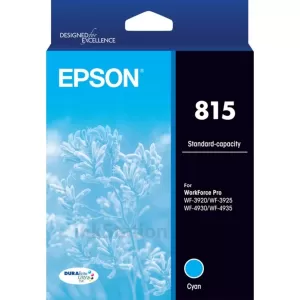
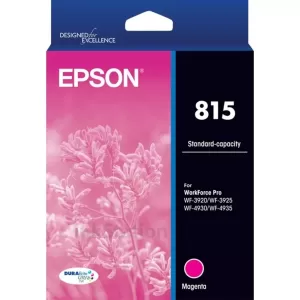
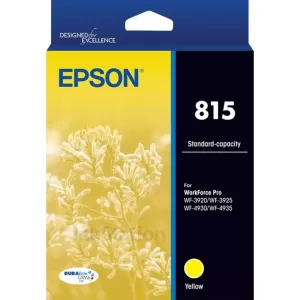
| Bundled Ink | 815 Black, Cyan, Magenta, Yellow |
| General | |
|---|---|
| Operating Systems | Windows® 11 (64-bit, ARM64) or later, Windows® 10 (32-bit, 64-bit), Windows® 8, 8.1 (32-bit, 64-bit), Windows® 7 (32-bit, 64-bit) Mac® OS X® 10.9.5 or later, Mac® OS 11 or later2, ChromeOS™ ver.89 or later |
| Server Systems | Windows Server® 2008, 2008 R2, 2012, 2012 R2 or later3 |
| Temperature | Operating: 10° to 35° C Storage: -20° to 40° C |
| Humidity | Operating: 20 - 80% relative humidity Storage: 5 - 80% relative humidity (no condensation) |
| Dimensions | Printing: 425 x 494 x 249 mm (W x D x H) Storage: 425 x 379 x 249 mm (W x D x H) |
| Weight | 8.9 kg |
| Copy | |
|---|---|
| ISO Copy Speed | Black: 19 ISO ppm4 Colour: 9 ISO ppm4 |
| Copy Quantity | 1-999 pages |
| Maximum Copy Size | 8.5" x 14" |
| Scan | |
|---|---|
| Scanner Type | A4 colour flatbed / ADF |
| Photoelectric Device | CIS photo sensor |
| Optical (Hardware) Resolution | 1,200 x 2,400 dpi |
| Maximum Resolution | 9,600 dpi interpolated |
| Colour Bit Depth | 16-bit colour input / 8-bit colour output |
| Scan Features | Scan to PC, scan to email |
| Automatic Document Feeder (ADF) Function | |
|---|---|
| Maximum Document Size | A4 |
| Paper Types Supported | Plain paper 64~95 gsm |
| Paper Capacity | Up to 35 pages (A4 plain paper only) |
| Auto 2-sided Support | – |
| Fax | |
|---|---|
| Fax Settings | – |
| Fax Speed | – |
| Memory | – |
| Speed Dials | – |
| PC Fax | – |
| Connectivity | |
|---|---|
| Standard Connectivity | Hi-Speed USB Wi-Fi®5 IEEI 802.11a/b/g/ac/k/n/r/v (2.4 /5GHz), Wi-Fi Direct®5 Ethernet (10/100 Mbps) |
| Mobile Printing Solutions | |
|---|---|
| Epson Connect Solutions | Epson Smart Panel app (iOS®, Android®), Epson Remote Print |
| Other | Apple® AirPrint®, Mopria® Print Service |
| Paper Handling | |
|---|---|
| Paper Sizes | 3.5" x 5", 4" x 6", 5" x 7", 8" x 10", 8.5" x 11", 8.5" x 14", A4, A6, Half Letter, Legal, Executive |
| PC-free Paper Support | 4" x 6", 5" x 7", 8" x 10", A4, A6, Legal, Letter, Executive, Half Letter, #10, 8.5" x 13" |
| Maximum Paper Sizes | Legal |
| Paper Types | Plain Paper, Bright White Paper, Multi Purpose Plus, Premium Presentation Paper Matte, Premium Presentation Paper Matte Double-Sided, Presentation Paper Matte, Ultra Premium Photo Paper Glossy, Premium Photo Paper Glossy, Premium Photo Paper Semi-Gloss, Photo Paper Glossy, Card Stock, Envelope, Letterhead, Recycled, Color, Preprinted, HQ Plain paper |
| Envelope Types | No. 10 |
| Input Paper Capacity | 250-sheet tray, plain paper up to 80 gsm, 20 sheets Photo Paper, 10 envelopes |
| Printer Details | |
|---|---|
| Display | 2.4" colour touchscreen LCD |
| Printer Language | ESC/P-R |
| Software Included | Epson printer driver, Epson ScanSmart®: Internet access is required to install drivers and software. |
| Duty Cycle | Up to 1,600 pages recommended / max 33,000 pages per month6 |
| Power | |
|---|---|
| Rated Voltage | AC 100 – 240 V universal (automatic) |
| Rated Frequency | 50 – 60 Hz |
| Power Consumption | Approx. 16 W ISO 24712 (Standalone copy printing) Approx. 0.1 W (Power off) |
| Warranty | |
|---|---|
| Standard7 | 12 months return to base |
| What's In The Box | |
|---|---|
| Included | Epson WorkForce Pro WF-3925 Power cord 1 x 815 Black, 1 x 815 Cyan, 1 x 815 Magenta, 1 x 815 Yellow |
| Ink Cartridges & Yields | |
|---|---|
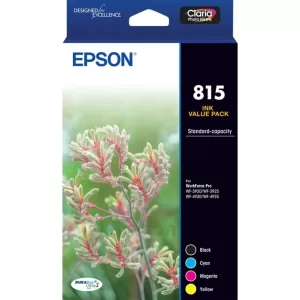
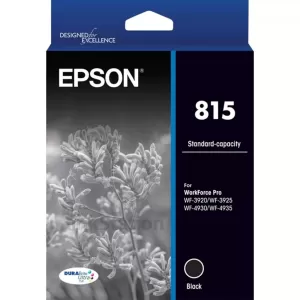
| Standard Capacity Ink Cartridges | 815 Black, 815 Cyan, 815 Magenta, 815 Yellow |
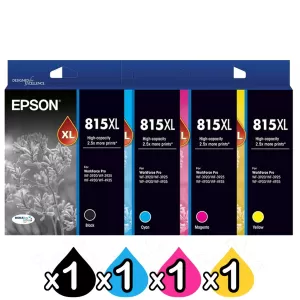
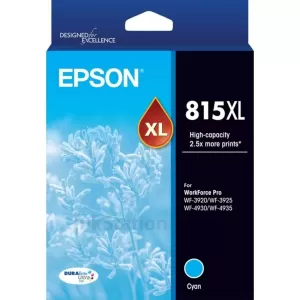
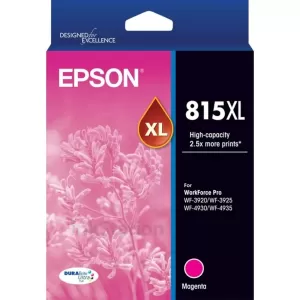
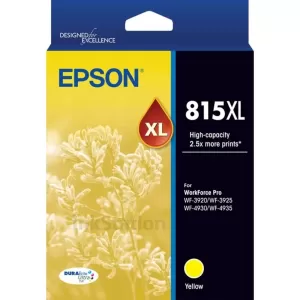
| High Capacity Ink Cartridges | 815XL Black, 815XL Cyan, 815XL Magenta, 815XL Yellow |
| Standard Capacity Yield8 | Approx. Black - 450 pages, Composite Colour - 450 pages |
| High Capacity Yield8 | Approx. Black - 1200 pages, Composite Colour - 1200 pages |
| Usage Conditions | |
|---|---|
| Epson products are designed and made to give highly reliable use and long life when used according to its specifications. With any system, product or device used in situations where human life may be involved or at risk, Epson advises that you should take all necessary steps to ensure the suitability of your Epson product for inclusion in your system, and recommends that you include fail-safe procedures and redundancy support or backup equipment in your system, to maintain the maximum safety margin and optimum system reliability. Examples include but are not limited to – do not interfere with any electrical components within the device, do not use items supplied with the product for purposes other than as intended by Epson (ie mains cords, inks, CDs, plastic wrapping) and do not make modifications to the product. This printer is designed to function only with genuine Epson ink cartridges and not with third party ink cartridges. The printer may not function properly or at all if you use third party ink cartridges. |
- Black and colour print speeds are measured in accordance with ISO/IEC 24734. Actual print times will vary based on system configuration, software, and page complexity. For more information, visit www.epson.com/iso-print-speeds
- Some applications and/or functions may not be supported under Mac OS X.
- Only printing and scanning are supported under Windows Server OS.
- Black and colour copy speeds are determined in accordance with ISO/IEC 29183. Actual copy times will vary based on system configuration and page complexity. For more information, visit www.epson.com/iso-copy-speeds
- Wi-Fi CERTIFIED™; level of performance subject to the range of the router being used. Wi-Fi Direct may require printer software.
- Maximum Monthly duty cycle is the highest duty a user could expect in a month. It is not recommended that the device be run at this duty for a near constant operation. For best device performance, run the device at the recommended monthly page volume. Excessive use by continually using the product over the recommended monthly page volume may result in a breach of warranty.
- Terms and conditions apply. For more details please visit https://www.epson.com.au/warranty/backtobase.asp
- According to ISO/IEC24711 and 24712 test suite.
This printer is designed to be used only with Genuine Epson ink cartridges. Epson ink cartridges are not designed for refill.

SKU: STU42884
Genuine Supplies
All
Genuine Single
Genuine Pack
-
 Now$242.00SaveFree Shipping
EPSON Workforce Pro WF-3925 A4 Colour Multifunction Inkjet Printer
Buy Our EPSON Workforce Pro WF-3925 A4 Colour Multifunction Inkjet Printer at Best Price.Full Range of EPSON Inkjet Printers at excellent value and will be delivered to your door super fast!
When can I expect delivery of my EPSON Workforce Pro WF-3925 A4 Colour Multifunction Inkjet Printer
Your EPSON Workforce Pro WF-3925 A4 Colour Multifunction Inkjet Printer is dispatch on the same day from warehouse from Melbourne, Sydney, Brisbane or Perth if order place before 3pm Mon-Fri excluding public holiday. We ensure we always use the best delivery method to delivery the order to your door.As a general guideline, most deliveries to major cities will take 1-3 business days, whilst it could take up to 5 business days for more remote areas. This general guideline does not apply to large / bulky items. Please refer to the large / bulky item section below for more information. All delivery timeframes provided at Ink Station are an estimate and do not account for unforeseeable circumstances which may affect the delivery of your parcel.
EPSON Workforce Pro WF-3925 A4 Colour Multifunction Inkjet Printer Warranty
Our EPSON Workforce Pro WF-3925 A4 Colour Multifunction Inkjet Printer is cover by a full manufacturers warranty! If your product is faulty, please check with us to organise a replacement or refund. See our warranty page for full details.How can I pay?
We accept payment by Visa, Mastercard, AMEX and Bank Transfer. There is no surcharge for using a credit card or any other payment methods.


How secure is Online for ordering?
Credit card payments are securely processed by SecurePay, We do not store credit card details, and No credit card data or information is stored on our site in any form.! Note: Direct deposit and cheque payments require payment clearance before order dispatch.Our site uses 256bit SSL encryption provided from GeoTrust ensuring your credit card details remain safe.Order EPSON Workforce Pro WF-3925 A4 Colour Multifunction Inkjet Printer now
To purchase on the internet you can press the "Add to Cart" next to the products you require. If order over the internet is not for you. You can also order EPSON Workforce Pro WF-3925 A4 Colour Multifunction Inkjet Printer by calling our friendly sales team 1300 655 943 to place your order.Product Reviews