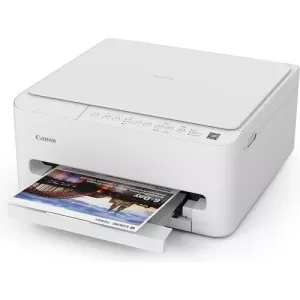
Canon Printers

Canon has consistently set the standard in the printing industry with its innovative designs and precision engineering. Whether you're a professional photographer looking for flawless photo prints, or a business in need of efficient document handling, Canon printers offer a diverse range of printers for every requirement. Experience their superior quality and shop Canon printers in Australia online at Ink Station.

Show More

Buy Canon Printers in Australia

We offer a wide range of Canon computer printers for your home office or a reliable solution for larger business environments. Our collection includes everything from Canon multifunction printers that handle scanning and faxing, to Canon large format printers designed for professional-grade photo printing, as well as best-selling Canon laser printers. With our fast express shipping across Australia, your Canon printer will be delivered to your door in just a matter of days.

Canon Colour Laser Printers

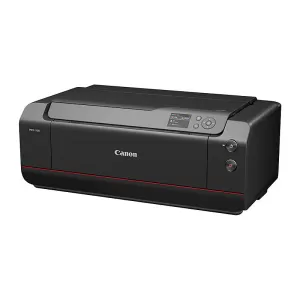
For those who require superior photo printing capabilities, Canon photo printers are the best choice. These printers deliver exceptional colour accuracy and detail, making them an ideal solution for photographers and creative professionals. We also have a combination of standard-sized printers and Canon large format printers for bigger projects. Shop Canon InkJet printers and more brands via our inkjet printers collection.

Canon InkJet Printers

Canon multifunction printers offer all-in-one functionality by combining printing, scanning, copying, and faxing in one device. Ideal for both home and office use, these printers streamline tasks and save space. Regardless if you need a Canon printer scanner for your home or a more robust option with Canon fax printer capabilities for your office, our selection has you covered. For optimal results, our expert team recommends models like the Canon Pixma TR8660A or the Canon Office MAXIFY MB5160.


FAQs for Cannon Printers

How do I set up my Canon printer for the first time?

To set up your Canon printer, connect it to your Wi-Fi network or computer, download the necessary drivers from the Canon website and then follow the on-screen instructions. For additional help, contact our team via 1300 655 943.

How do I replace the ink cartridges in my Canon printer?

Start by opening the printer's top cover to access the cartridge compartment. Gently remove the empty cartridge, then insert a new, compatible Canon ink cartridge until it clicks into place. For the best results, always use genuine Canon ink cartridges. Visit our Canon ink cartridge range to find the right match.

How do I recycle or dispose of used Canon ink and toner cartridges?

Canon's recycling programs make it easy to dispose of used cartridges responsibly. You can return them via mail or drop them off at designated recycling centres. For detailed instructions and locations in Australia, visit the Canon Ink Recycling page.

What are the best settings for printing photos on a Canon printer?

For top-quality photo prints, use Canon's recommended photo paper, set the printer to its highest resolution and adjust the colour balance to suit your image. Selecting the correct paper type in the printer settings is crucial for vibrant results. Check out our Photo Printing Guide for more information.

How do I find the right ink or toner for my Canon printer model?

Use our ink and toner finder tool to easily locate the appropriate Canon ink or toner for your specific model. Simply input your printer model into the search bar and the tool will provide you with the compatible options.

How do I set up my Canon printer for the first time?

Setting up your Canon printer involves connecting it to your network, installing drivers from the Canon website and then configuring it according to your needs. Start by unboxing the printer and following the quick start guide provided.