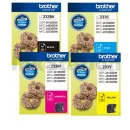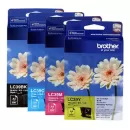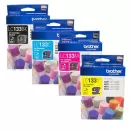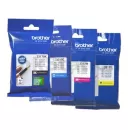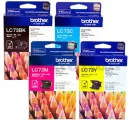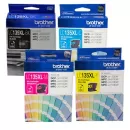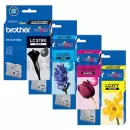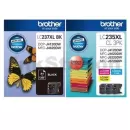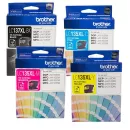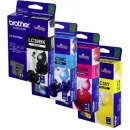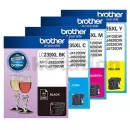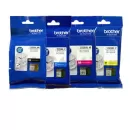










Affordable Brother Ink Cartridges in Australia
Shop Ink Station’s wide range of Brother ink cartridges; genuine supplies for colour accuracy and reliability, plus value compatibles for everyday savings. Whether you’re kitting out a study nook or a small office, we stock ink cartridges for Brother models across popular series, with easy browsing by device so you can order in minutes.
Choosing the Right Brother Ink for Your Printer
Finding the right Brother printer ink is simple: enter your exact model code, and you’ll only see matching cartridges. Popular inkjet families like MFC-J and DCP-J offer both standard and high-yield packs. Pick standard if you print occasionally, or XL to lower cost per page and reduce swaps during busy weeks. For colour-critical work and the most consistent results, choose genuine cartridges. For everyday documents and drafts, quality compatibles offer excellent value. And if your device turns out to be a laser rather than an inkjet, you’ll need toner instead. Browse Brother toners to find the right match.
Genuine vs Compatible Brother Ink Cartridges
Genuine cartridges are made by Brother and tuned for your print head, helping preserve warranty, reduce recognition prompts and deliver leak-free, accurate colour across photos and brand assets. Meanwhile, compatible cartridges are third-party alternatives that fit the same printer series, offering strong savings when daily output is mostly text, forms and reference charts. In short, genuine prioritises consistency and support, while compatible prioritises budget and value. Either way, pick model-matched Brother ink and buy from a reputable supplier for the best results with your Brother cartridge ink.
Why Buy Brother Ink Cartridges from Ink Station?
Ink Station brings years of experience in printer consumables, with a wide catalogue for homes, schools and SMEs. Every cartridge is backed by a warranty, we offer free shipping over $65, and orders placed before 3 pm on weekdays are dispatched the same day. If you need help picking the right ink cartridges for Brother, our Australian support team can guide you through yields, colours, compatibility and more.
FAQs
Can I use third-party ink cartridges for my Brother printer?
Yes. Compatible cartridges will work as long as they’re designed for your exact model. You’ll get the most predictable colour and finish from genuine Brother ink cartridges, but compatibles balance quality with savings. Choose based on your workload and quality needs.
How to replace ink cartridges in a Brother printer?
Open the ink cover, unlock the spent cartridge, and pull it straight out. Remove the new cartridge’s protective seal, slide it in until it clicks, then run an alignment/clean cycle if prompted. Steps vary by model, so check your user guide for best results.
What ink does my Brother print use?
Different Brother printers use different codes (e.g., LC-series). Check the model number on the front bezel or rear label, then search that code on our site to see compatible Brother printer ink and yield options for your device.