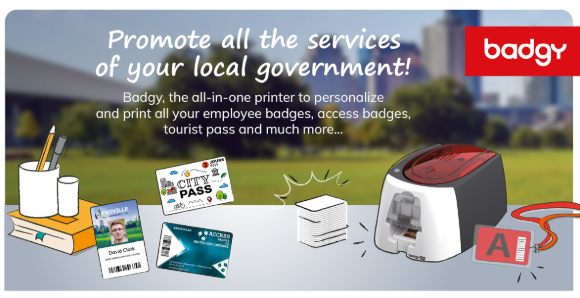

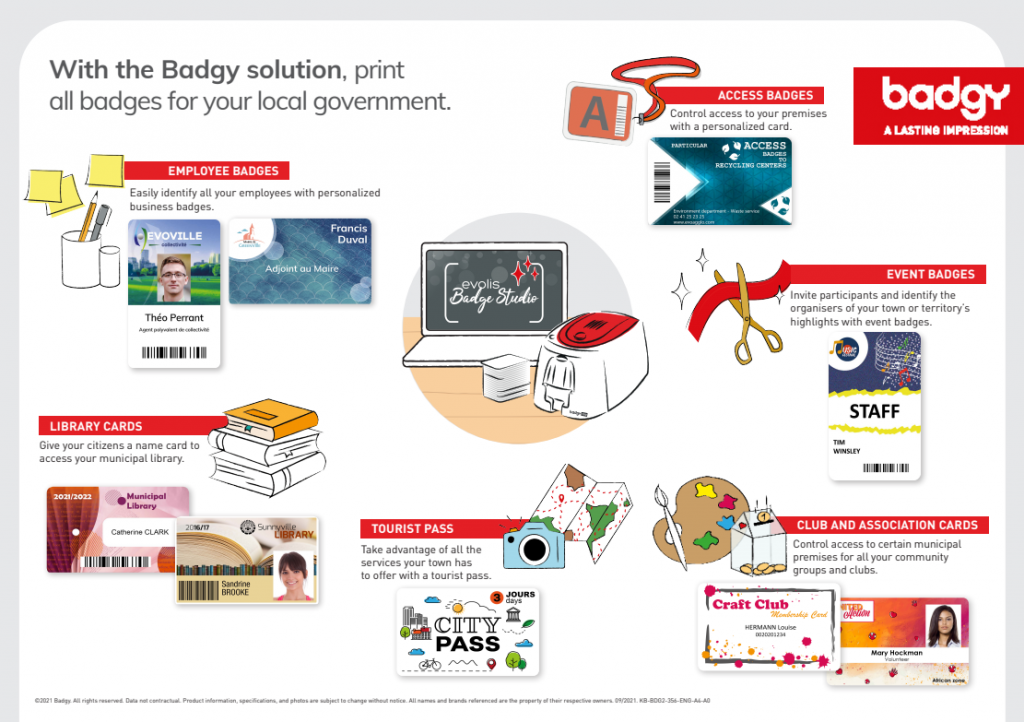

In this article, we provide you a clear guide on exactly what to look for in your ID card printer and how to make employee ID cards. We outline the key buying criteria, give you a plain-English recommendation for the Australian market and a comparison of two of the most accessible options of ID card printers at Ink Station. We also take a look at the consumables you will require, including print ribbons and PVC cards.
What to look for in an ID card printer
Let’s break it down.
The most important factor you need to know when choosing an ID card printer is how many cards you will need to be printing per year. Under 200 cards is considered low volume, while anything over this amount per year means you require regular or batch printing. Plenty of workplaces would fall into this category, needing large amounts of ID, library cards and/or access cards. These workplaces include schools, TAFEs and universities, healthcare facilities, government departments, large offices and construction sites.
Next, you need to consider print speed. Measured in cards per hour, print speed only really matters if you need to print a batch in one sitting, for example issuing student cards on day one of a school term. Entry-level printers manage around 100 to 150 cards an hour, while faster models can crank out around double that. That difference adds up quickly. Running an event for a large organisation where you need to consider how to make employee ID cards or attendee ID cards? You will probably need a card printer with a high print speed. With hundreds of potential attendees, a faster printer means less waiting around and a more streamlined operation.
Once you have these factors considered, move on to the next question: colour or monochrome? Full-colour ID cards are almost always essential when a photo ID is required, for example in high-security workplaces like banks, airports and IT facilities. Other times where colour would be required is for ID cards that need a company logo (this will be most Australian businesses). More often than not, the logo will need to be reproduced with its standard brand colours. The only reason you would opt for a monochrome option here is if you have basic text-only passes to produce, for example simple VISITOR cards or equipment tags with a name and ID number only. Most people in the market for an ID card printer want colour. A colour ID card printer has a “YMCKO” ribbon, while a monochrome ID card printer takes black ribbon only.
Another consideration when thinking about how to choose an ID card printer, but one which is often overlooked, is whether or not it comes with card design software. Some entry-level printers come without software, which means you’re relying on your printer’s driver and something like Word or Canva to design and print cards. As user-friendly and advanced as these programs have become, this would still involve a manual one-at-a-time process to create cards. At the end of the day, if you need to import staff or student lists and print in bulk, you should consider a database-level or professional-level software that works alongside the ID card printer. Purpose-built software such as Evolis Badge Studio+, has ready-made templates that can save you serious time down the line.
It’s a good idea to check the availability and cost of consumables that your ID card printer will require. The last thing you want is to purchase a product which has ribbons and cards not currently stocked in Australia. No matter what printer you buy, ribbons and blank PVC cards will be an ongoing cost. Colour ribbon is more expensive than monochrome and, in terms of cards, the cost will vary depending on thickness, pack size and type. Plain white cards are the cheapest, while adhesive-backed, magnetic stripe or coloured cards cost more. It’s worth calculating the cost per card for the amount you intend to print. Also noting here that ribbons aren’t universal, so a ribbon made for one printer brand or model won’t necessarily fit another. Always match the ribbon to the specific printer.
The last factor you should consider when looking for an ID card printer is the ease of setup. For most small business buyers, a plug-and-print simplicity matters more than advanced features. Unless you have a technical guru on hand, avoid printers that require specialist IT setup.
How much should you budget?
No matter which ID card printer you choose, the investment will cost an Australian small business upwards of around $1,000. An entry-level machine typically starts at around $1,000–$1,100, bundled with ribbons, cards and software. A mid-range option, which offers faster print speeds and are suited to organisations printing regularly or in batches, costs around $1,300–$1,400. To properly look at the cost involved though, you need to factor in the ongoing consumable costs. For example a colour ribbon typically costs $80–90 and prints around 100 single-sided cards before needing to be replaced. Blank PVC card packs start from around $42.90 for 100 cards.

Our recommendation for small businesses: the Evolis Badgy range
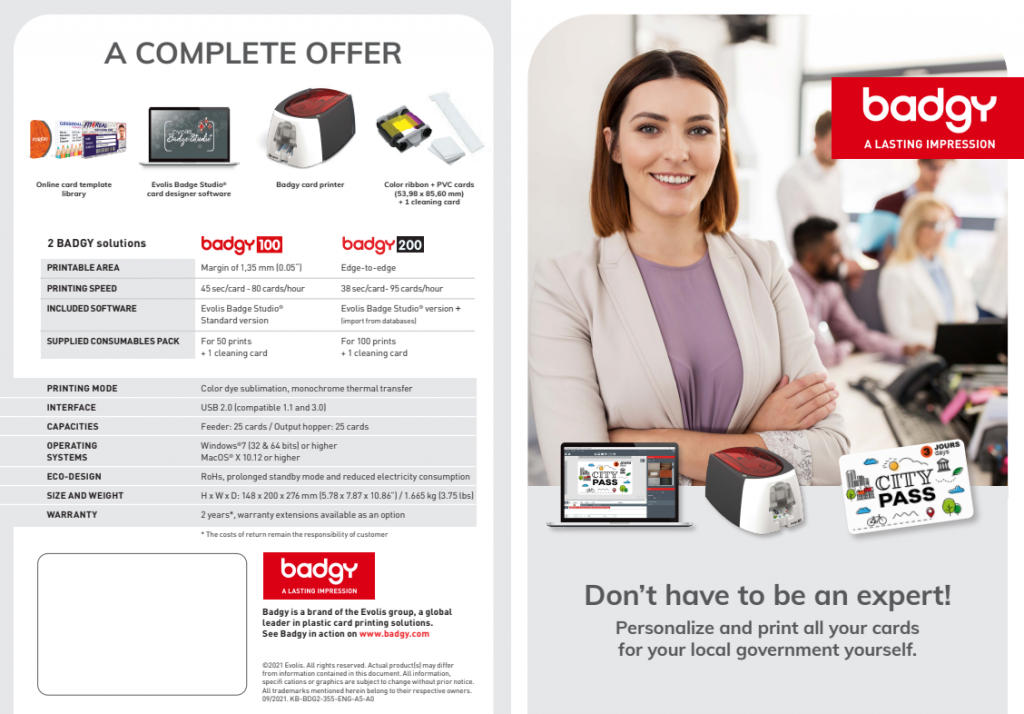
With all of this in mind, the standout option in the Australian market points toward the Evolis Badgy 100 and Badgy 200. This range is compact, easy to set up, sold as a complete bundle (with template software) and uses consumables readily and locally available at Ink Station. Both models produce identical full-colour, edge-to-edge output on standard PVC cards (CR-80). The only real decision you need to make is down to volume and speed. See below for a breakdown or shop the Evolis Badgy range at Ink Station:
| FEATURE | Badgy 100 | Badgy 200 |
| Print Speed | Standard | Fast |
| Volume | Best for low-volume | Best for regular or batch printing |
| Price | $1,079.00 | $1369.95 |
| Included in Bundle | Printer, YMCKO colour ribbon (100 prints), blank PVC cards and Badge Studio software. | Printer, YMCKO colour ribbon (100 prints), blank PVC cards and Badge Studio Plus (+) software. |
Evolis Badgy 100 – best for low-volume users
If you intend to print fewer than 200 cards per year and print speed is not a priority, the Badgy 100 could be the best option for you. At $1079, this entry-level bundle includes the printer, YMCKO colour ribbon (100 prints), blank PVC cards and Badge Studio software. It is best suited to small businesses, clubs or associations printing a modest number of ID cards per year such as staff badges, membership cards or visitor passes. When looking at the Badgy 100 vs Badgy 200, the 100 comes out as the most affordable entry point into in-house ID card printing.
Evolis Badgy 200 – best for regular or batch printing
If turnaround time matters or you need to print 50 or more cards in a single session, the Evolis Badgy 200 is for you. Designed for a faster print speed and volume, it spits out almost 20% more colour cards an hour than the Badgy 100 (80 cards/hr vs. 95 cards/hr). The Badgy 200 also comes with the Evolis Badge Studio Plus (+) software as standard, which allows the importing of databases and printing in mail-merge mode. This is a game-changer for large organisations or events needing to print fast and in batches. For $1,369.95, this model would suit schools, businesses onboarding new staff regularly or someone that wants a printer that will scale with their needs.
Ongoing costs: consumables to factor in
Conveniently, both Evolis Badgy models use the same consumables: Badgy YMCKO Colour Ribbon and Blank PVC Cards. The colour ribbon will last for 100 full-colour prints and is currently available for $86.90. Black ribbon for monochrome printing is also available and can be used in both models, printing 500 mono prints for a ribbon cost of $64.25. Blank PVC cards come in packs of 100 and 500 (starting from $42.90). It’s worth keeping in mind for those with higher volumes that buying in bulk will dramatically reduce the per-card cost. In order to maintain print quality and extend the printer’s lifespan, don’t forget to pick up a simple cleaning kit (Evolis Complete Cleaning Kit, $36.72).